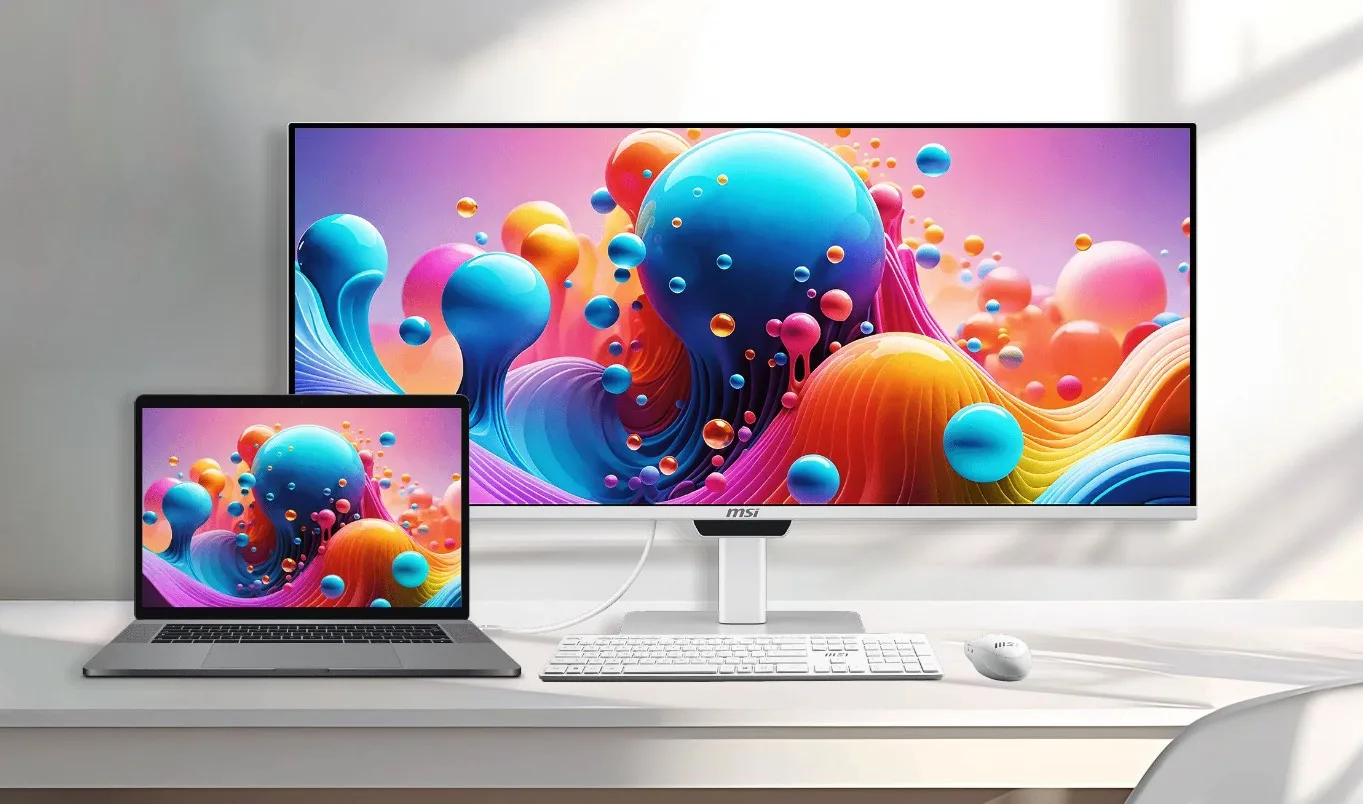
For years, a persistent friction point for Mac users utilizing external desktop monitors has been the cumbersome hardware interface required to make routine adjustments. Unlike Apple’s native displays or studio monitors, third-party screens typically force users to fumble with rear-mounted physical buttons or nested on-screen display (OSD) menus merely to alter brightness levels or audio volume. Recognizing this persistent ergonomic hurdle, hardware giant MSI has officially unveiled its latest display solution, the MSI PRO MAX. Designed specifically to bridge the gap between Windows-centric peripherals and Apple’s ecosystem, this 34-inch ultrawide monitor aims to eliminate daily user friction by offering deep, native software control for macOS, all while packing high-end display technologies into a sophisticated white chassis.
The Main Facts: Hardware Specifications and Mac Optimization
At the core of the MSI PRO MAX is a 34-inch QD-OLED panel boasting a WQHD resolution of 3440 x 1440 pixels and a fluid maximum refresh rate of 144 Hz. While these foundational specifications position the monitor as a capable productivity and entertainment hub, display analysts note that its pixel density sits at approximately 110 PPI (pixels per inch). Consequently, it does not match the ultra-high pixel density of Apple’s proprietary Retina displays, a factor that typography enthusiasts and pixel-peepers may weigh when transitioning from a MacBook screen.
However, the defining selling proposition of the PRO MAX does not lie solely in its raw panel metrics, but rather in its software integration. MSI has engineered the firmware and hardware handshake to allow macOS users to seamlessly control display brightness and system volume directly through the native operating system controls. This means Mac owners can bypass the physical joystick or tactile buttons on the monitor entirely, adjusting audio and luminance via their keyboard function keys or macOS menu bar, replicating the frictionless experience of using an Apple Studio Display or Pro Display XDR.
Evolution of QD-OLED: Tackling Text Clarity and Color Accuracy
The launch of the PRO MAX represents a significant step forward in MSI’s display engineering, particularly regarding the maturation of Quantum Dot OLED (QD-OLED) technology. Early iterations of QD-OLED panels frequently drew criticism from professional users due to their unconventional triangular sub-pixel layouts, which often resulted in "color fringing"—a noticeable chromatic aberration or colored haloing around high-contrast text and UI elements.

To mitigate this issue, MSI has implemented an RGB stripe sub-pixel layout on the PRO MAX panel. This structural modification realigns the sub-pixels into a traditional linear configuration, drastically sharpening text rendering and effectively eliminating the color fringing phenomena that previously alienated office workers, coders, and writers who rely heavily on crisp typography.
Beyond text clarity, the monitor delivers robust color reproduction tailored for content creators. MSI claims the panel covers 99 percent of the DCI-P3 color gamut and 97.4 percent of the Adobe RGB color space. Out-of-the-box color accuracy is rated at a Delta E value of less than 2 (<2), ensuring reliable color fidelity for photo and video editing workflows, though professional colorists demanding absolute precision are still advised to perform custom hardware calibrations.
In terms of luminance performance, the PRO MAX leverages the self-emissive nature of OLED to deliver striking High Dynamic Range (HDR) highlights, capable of peaking at 1,300 nits across small screen areas. Meanwhile, full-screen Standard Dynamic Range (SDR) brightness is capped at 300 nits, an optimal threshold designed to prevent eye strain in standard office environments with controlled ambient lighting.
Comprehensive Connectivity and Ergonomic Versatility
Modern productivity setups demand robust input-output options, and MSI has outfitted the PRO MAX to function as a comprehensive desktop docking station. The rear I/O panel houses two HDMI 2.1 ports and a single DisplayPort 1.4a interface. Crucially for laptop-centric workflows, the monitor includes two USB-C ports featuring DisplayPort Alternate Mode. One of these ports delivers up to 98W of Power Delivery, allowing users to charge demanding MacBook Pro models rapidly with a single cable, while the secondary USB-C port supplies 15W for peripheral power.
Further expanding its utility, the monitor incorporates a built-in KVM (Keyboard, Video, Mouse) switch supporting up to three distinct devices. This functionality enables professionals working across multiple machines—such as a personal Mac, a work laptop, and a desktop PC—to share a single keyboard and mouse setup effortlessly. Additional physical connections include a USB Type-B 3.2 Gen 1 upstream port, four USB Type-A 3.2 Gen 2 downstream ports, and a standard 3.5mm audio jack for external sound equipment.
Aesthetically, the PRO MAX adopts a clean, minimalist white finish designed to complement modern desktop aesthetics, harmonizing well with Apple’s design language. The hardware package is rounded out by dual integrated 3W stereo speakers, VESA mounting compatibility for alternative arm setups, hardware-based blue light reduction filters, and a highly adjustable ergonomic stand. The included stand offers up to 130 mm of height adjustment, 30 degrees of swivel flexibility, 10 degrees of pivot rotation, and a tilt range from -5 to 20 degrees.

Industry Context and Market Implications
The introduction of the MSI PRO MAX arrives at a time when the crossover market between Windows-centric hardware manufacturers and the macOS user base is experiencing accelerated growth. Historically, Apple users requiring ultrawide screen real estate faced a dilemma: either purchase high-end ultrawide monitors optimized exclusively for Windows environments—thereby enduring software limitations, scaling issues, and cumbersome hardware controls—or invest in costly Apple-certified displays with traditional 16:9 aspect ratios.
By targeting the pain points of Mac users specifically through software-level OS integration, MSI is carving out a distinct niche within the competitive display landscape. While ultrawide QD-OLED monitors are increasingly common in the gaming sector, products tailored directly to the daily workflow ergonomics of creative professionals and enterprise workers using macOS remain relatively scarce.
Market analysts observe that features like 98W USB-C Power Delivery combined with native macOS brightness and volume control signal a broader industry shift. As remote and hybrid work models continue to prioritize clean, single-cable desktop docking solutions, hardware manufacturers are recognizing that user experience and software synergy are just as vital as raw refresh rates and peak luminance.
Broader Impact on Productivity and Future Outlook
The commercial viability of the MSI PRO MAX will likely depend heavily on its eventual retail pricing and global availability. However, its architectural approach sets a new benchmark for third-party peripheral manufacturers seeking to capture market share among Apple enthusiasts. By solving longstanding hardware friction points—such as the awkward physical navigation of OSD menus—MSI has demonstrated that cross-platform compatibility extends far beyond basic video signal transmission.
Ultimately, the PRO MAX transforms the traditional ultrawide monitor paradigm. It moves beyond a pure gaming or heavy multimedia focus to deliver a refined, productivity-first tool. For Mac users desiring an immersive, single-monitor ultrawide canvas without sacrificing the fluid system-level controls they have come to expect from macOS, MSI’s latest offering presents a compelling, thoughtfully engineered solution that bridges two traditionally separate hardware ecosystems.