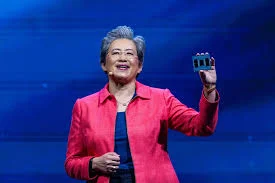
When Lisa Su took the helm of Advanced Micro Devices (AMD) in 2014, the company was widely viewed as a failing enterprise on the brink of obsolescence. Burdened by nearly $2.5 billion in debt, a stock price languishing at $1.61, and a market capitalization that had dipped below $2 billion, the firm faced persistent rumors of bankruptcy or a forced breakup. Over a decade later, the narrative has shifted entirely. Under Su’s leadership, AMD has emerged as a formidable global contender in the artificial intelligence (AI) semiconductor market, boasting a valuation of approximately $675 billion. This turnaround is now cited by industry analysts as one of the most successful corporate rehabilitations in modern American business history.
The transformation of AMD is not merely a story of financial recovery; it is a masterclass in strategic focus, technological foresight, and resilient leadership. Su, a Taiwanese-born engineer and MIT alumna, inherited a company that had seen its revenue decline for five consecutive years. By pivoting the organization away from low-margin consumer goods and toward high-performance computing—specifically data centers, cloud infrastructure, and AI—Su effectively repositioned AMD to capitalize on the greatest technological shift of the 21st century.
A Foundation Built on Engineering Excellence
Lisa Su’s ascent to the role of CEO was rooted in a lifelong obsession with scientific inquiry. Born in Taiwan and raised in New York, Su’s early intellectual development was heavily influenced by her father, a statistician who encouraged her to explore complex mathematical problems. As a student at the prestigious Bronx High School of Science, Su demonstrated an early aptitude for engineering, often deconstructing mechanical objects to understand their internal mechanisms.
This technical foundation was solidified at the Massachusetts Institute of Technology (MIT), where she earned her Ph.D. in electrical engineering. Her doctoral research on silicon-on-insulator (SOI) technology and MOSFETs—the fundamental switches that power modern computers—provided her with a deep, practical understanding of semiconductor architecture. This background has proven invaluable in her role as CEO, allowing her to engage directly with her engineering teams on technical roadmaps rather than merely overseeing operations from a purely financial perspective.
Before joining AMD, Su refined her leadership skills at industry giants Texas Instruments and IBM. At IBM, she played a pivotal role in developing the copper interconnect technology that allowed for smaller, faster, and more efficient microchips. This experience at the industry’s vanguard provided her with the strategic vision necessary to steer AMD through its most precarious years.
The 2014 Pivot: Restructuring a Company in Stasis
When Su assumed the CEO role in 2014, the internal culture at AMD was one of fragmentation and defeat. The company had slashed its workforce by 25% and was struggling to remain relevant in a market dominated by Intel’s x86 dominance and a burgeoning PC decline. Su’s initial recovery strategy was defined by extreme simplicity and focus. She mandated three primary objectives: build great products, deepen customer trust, and streamline operations.
Her refusal to overcomplicate the corporate agenda allowed the company to channel its limited resources into a single, high-stakes project: the Zen microarchitecture. The development of Zen, which launched in 2017, was a high-risk endeavor that required years of research and massive capital investment. The success of Zen marked the turning point for AMD, enabling the company to regain competitive parity with Intel and establish a footing in the high-performance computing sector.
By 2020, AMD’s processors were setting industry benchmarks for efficiency and speed. This technical resurgence facilitated high-profile partnerships with technology titans including Microsoft, Meta, Oracle, Dell, and NASA. AMD’s hardware now serves as the backbone for some of the world’s most powerful supercomputers, including Frontier at the Oak Ridge National Laboratory and El Capitan at the Lawrence Livermore National Laboratory.
The AI Frontier and the Nvidia Challenge
The current phase of AMD’s growth is defined by its aggressive expansion into the AI hardware market. As the demand for generative AI models grows, the reliance on advanced GPUs has become the new frontier of global competition. AMD’s strategic pivot to AI has been highlighted by a landmark multi-billion dollar partnership with OpenAI, announced in October 2025. This deal secures AMD’s role in providing the massive computational capacity required for the next generation of AI training, with initial integration scheduled for late 2026.
This evolution has placed AMD in direct competition with Nvidia, the world’s current leader in AI chip production. The rivalry carries a unique personal dimension: Lisa Su and Nvidia CEO Jensen Huang are distant relatives. While their paths rarely crossed during their early lives, they now find themselves at the center of a historic battle for dominance in the semiconductor industry.
Despite the intense competition, Su maintains a pragmatic view of the market. She rejects the notion that the AI chip industry must be a "winner-takes-all" environment. Instead, she advocates for an open ecosystem, positioning AMD as a vital alternative to Nvidia’s proprietary architecture. "Without AMD, Nvidia could simply double their prices," Su noted in recent industry discussions, emphasizing that her strategy is centered on providing competitive, open-standard alternatives to customers who wish to avoid vendor lock-in.
Financial Trajectory and Market Impact
The financial results of Su’s strategy are stark. AMD’s market capitalization has seen an exponential increase, and the company has consistently outperformed Wall Street’s expectations. In mid-2026, AMD reported quarterly revenues that surpassed estimates by hundreds of millions of dollars, driven primarily by the insatiable demand for AI-ready data center chips.
As of May 2026, Forbes estimated Lisa Su’s net worth at approximately $2.4 billion, with projections suggesting a rise to $3.4 billion by the end of the year, largely contingent on performance-based equity compensation. This financial success reflects the confidence shareholders have placed in her long-term vision. Beyond the numbers, her influence has been recognized by various global institutions; she was named Time’s CEO of the Year in 2024, becoming the first woman to receive the accolade.
Leadership Philosophy: Training for Complexity
Su’s management style is often characterized by her subordinates as deeply analytical, detail-oriented, and demanding. She is known for conducting late-night reviews of technical reports and personally inspecting chip prototypes. Her leadership philosophy rejects the notion of the "born leader," instead asserting that leadership is a skill acquired through rigorous training and the systematic tackling of difficult problems.
She frequently advises young professionals to actively seek out the most challenging problems within their organizations. "When you choose the hardest challenge, you choose the fastest path to growth," she stated during a recent academic commencement address. This philosophy has permeated the corporate culture at AMD, fostering an environment where engineers are encouraged to innovate under pressure rather than seek the path of least resistance.
Implications for the Future of Tech
The implications of AMD’s resurgence extend far beyond the company’s balance sheet. By successfully challenging the duopoly of incumbent chipmakers, AMD has significantly lowered the barriers to entry for AI developers and enterprise cloud users. The competition between AMD and Nvidia has accelerated the pace of hardware innovation, driving down costs and forcing a faster release cycle for next-generation silicon.
As the industry looks toward the latter half of the decade, the focus for AMD remains on scaling its AI infrastructure. With the integration of advanced agents into consumer PCs—as evidenced by recent collaborations with firms like Perplexity—AMD is signaling that its influence will continue to expand from the data center to the end-user device.
When asked whether she believes she can ultimately surpass Nvidia, Su’s answer remains consistent with the decisive, data-driven approach that saved her company over a decade ago. She remains focused on the long-term technological roadmap, the expansion of the open ecosystem, and the belief that the semiconductor industry is entering a new era of growth where multiple leaders can coexist. For an executive who took a bankrupt company and built a $675 billion titan, her confidence is rooted in a proven history of defying expectations. The story of Lisa Su and AMD is not just a chapter in corporate history; it is a blueprint for how technical expertise and strategic focus can alter the trajectory of an entire industry.